
Hi Substack! Apologies that it’s been a while. After a fun break working for myself, I found an interesting day gig working on some innovative XR technologies launching later this year, so I have to fit a daily workweek in between my writing sessions. Now that I’m settling into the new routine, I should be back to regular posts again.
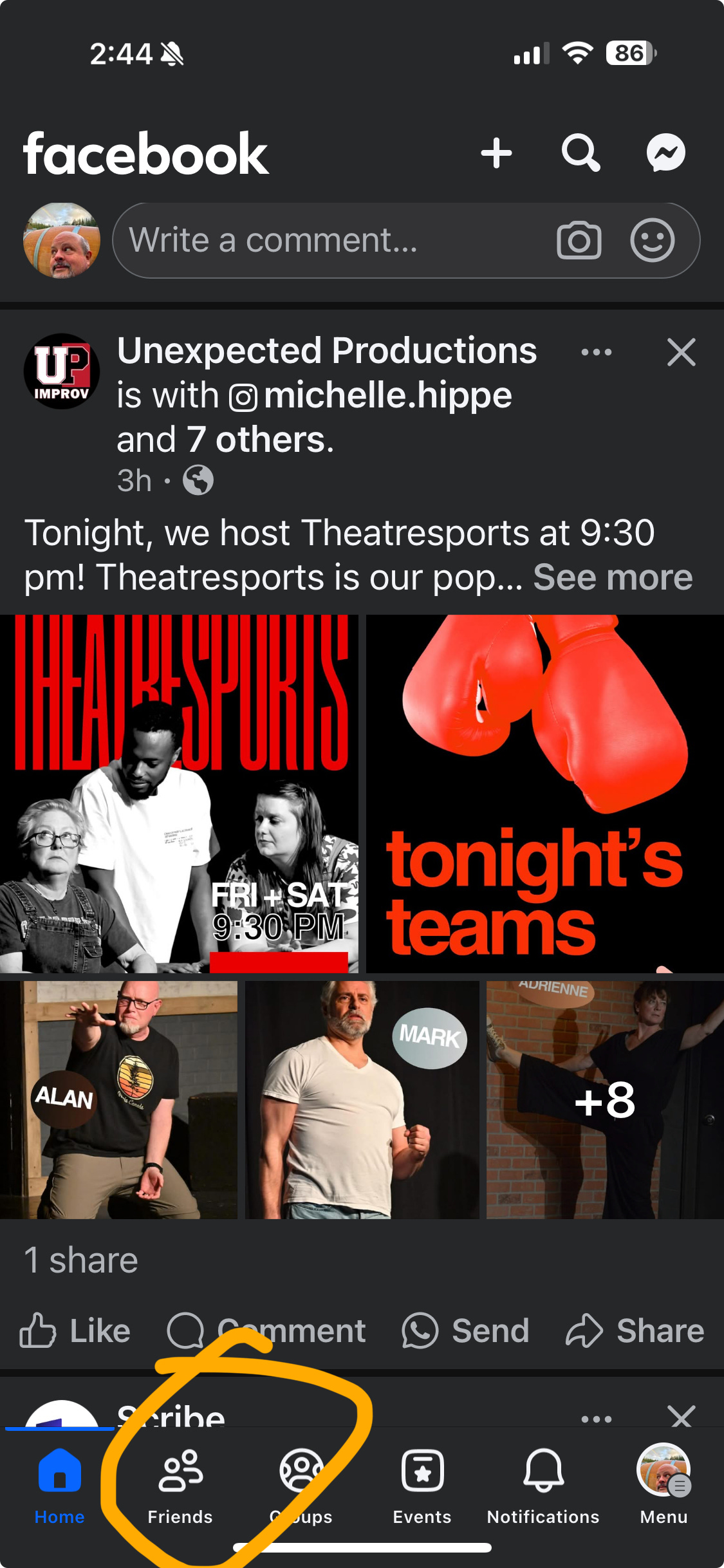
Just when I thought I was done writing about how to make Facebook more usable for its original social media purposes, some wonderful person working on the mobile app decided to unbury the Friends feed. Now you can add a button right on the front page of your Facebook mobile app that launches a feed showing just your friends’ posts! Well, and ads. But no Reels, and no annoying “suggested” posts from people you don’t follow. (Also, no posts from pages and groups you’re a member of, if those are important to you.) Now you can just tap the Friends button at the bottom of the mobile app to see a feed with just posts from your friends.

Here’s how to add the button, which is not there by default:
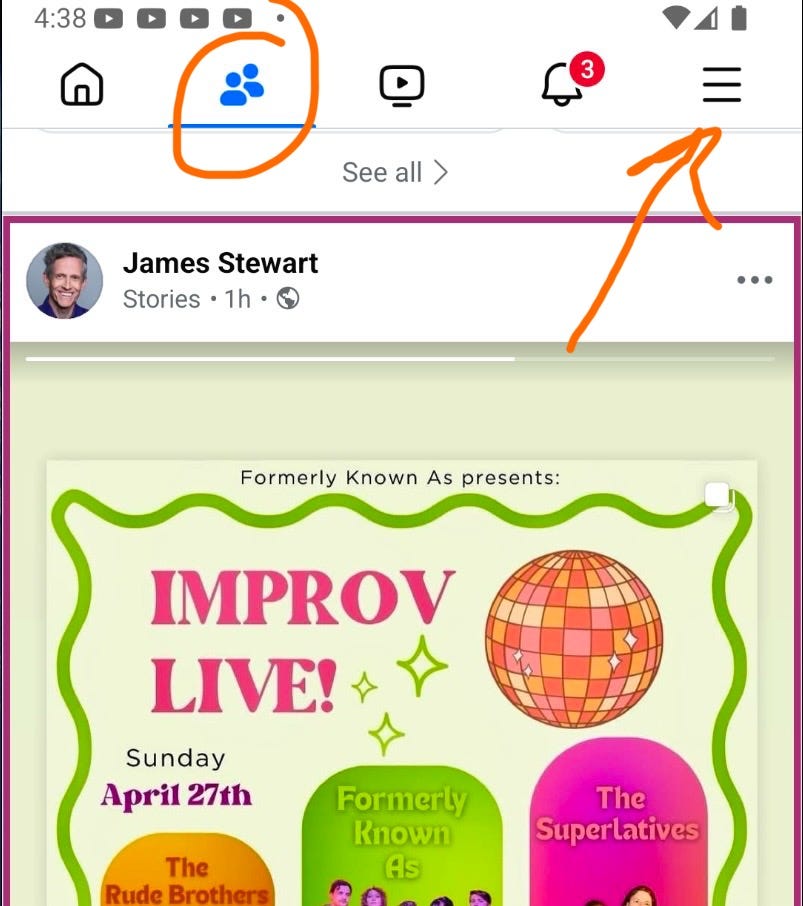
Choose the Menu button (bottom right corner of the Facebook mobile app on iOS, the three-bar “hamburger” button in the top right on Android).
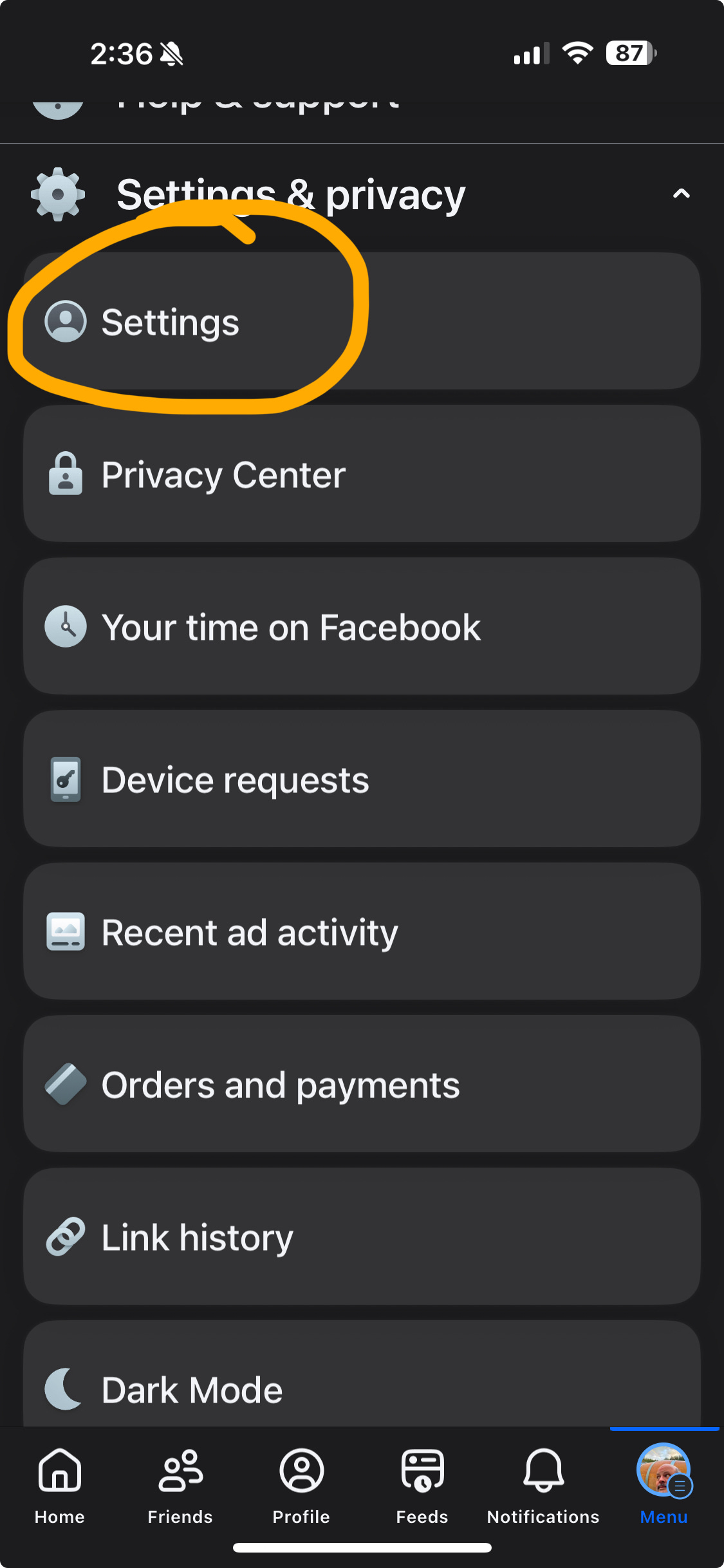
Scroll down to Settings & privacy, and choose Settings.
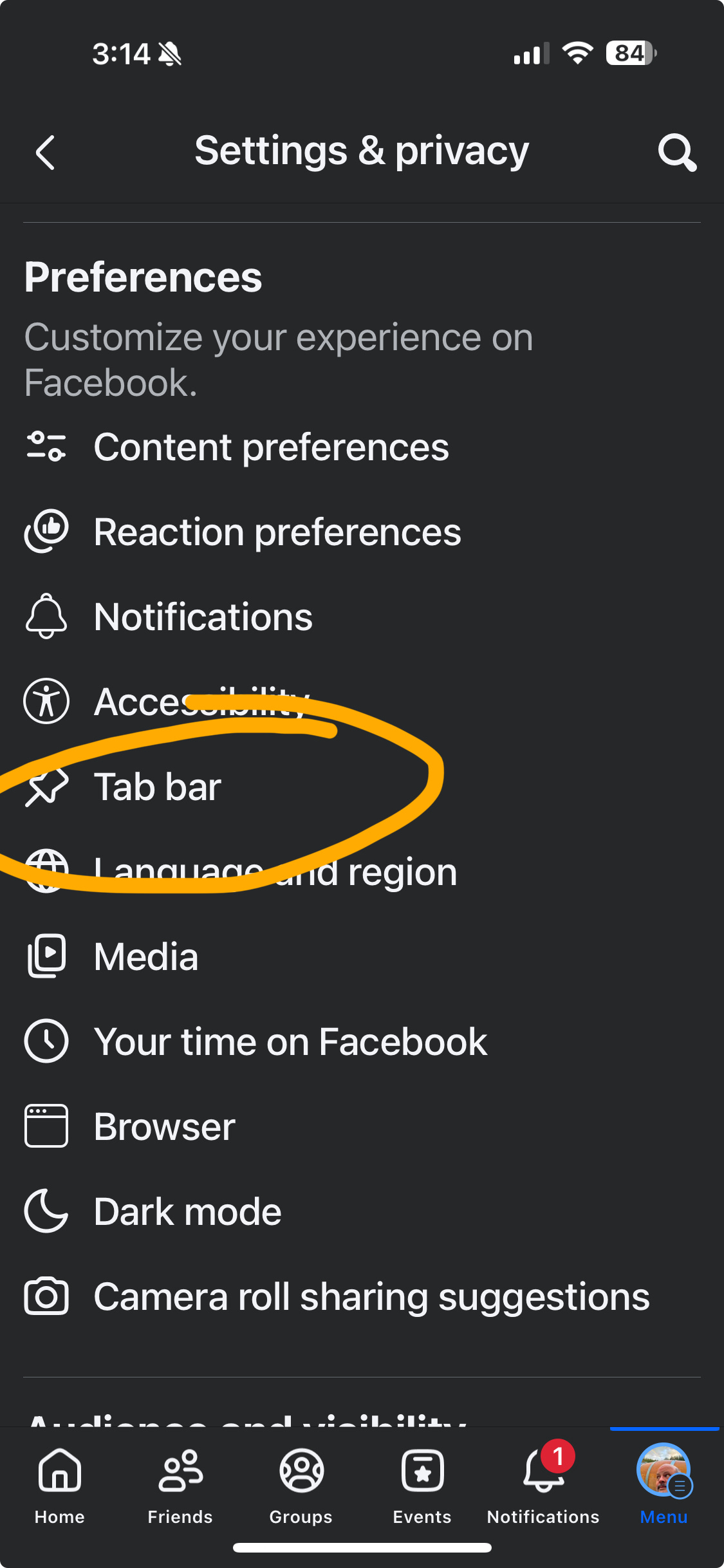
Scroll down to Preferences, and select Tab bar.
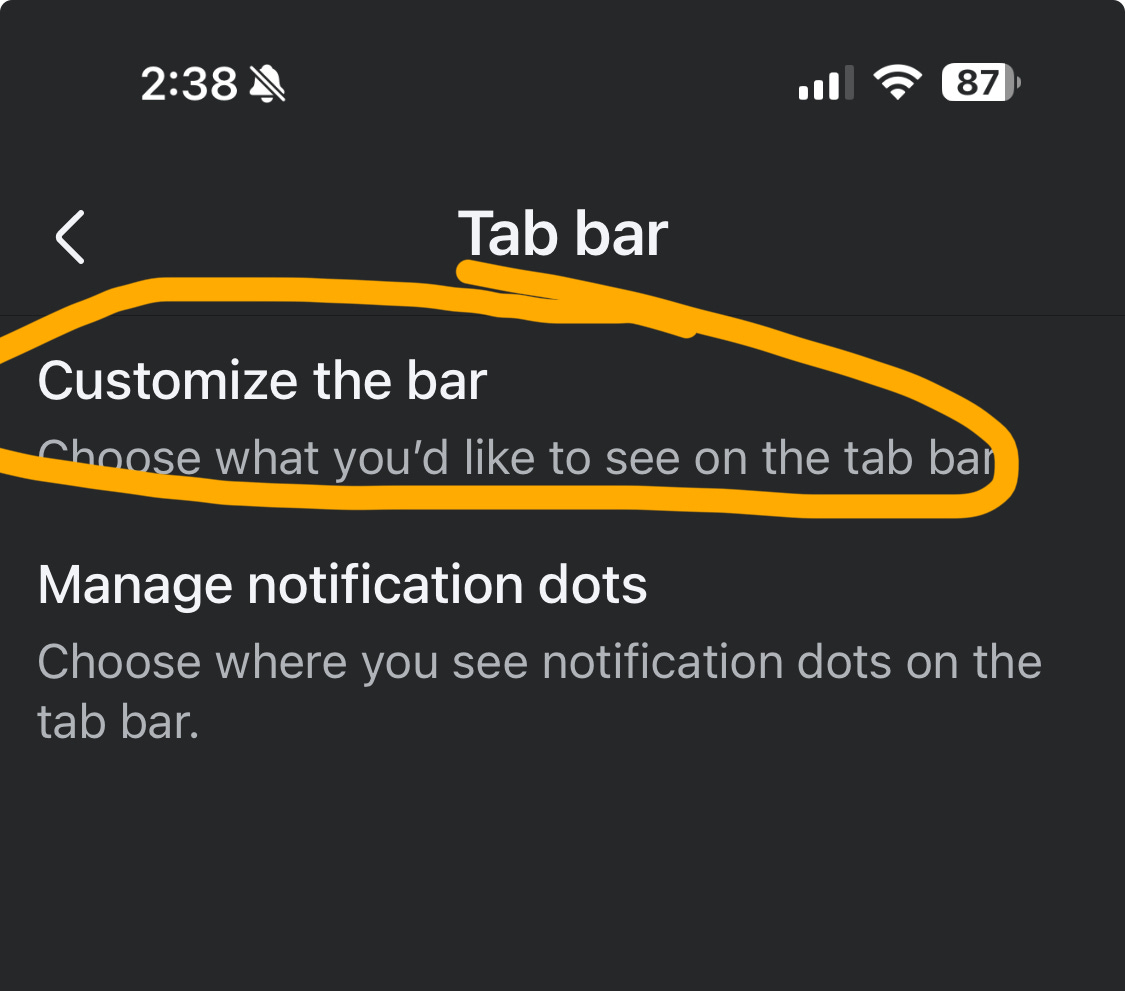
Select Customize the bar
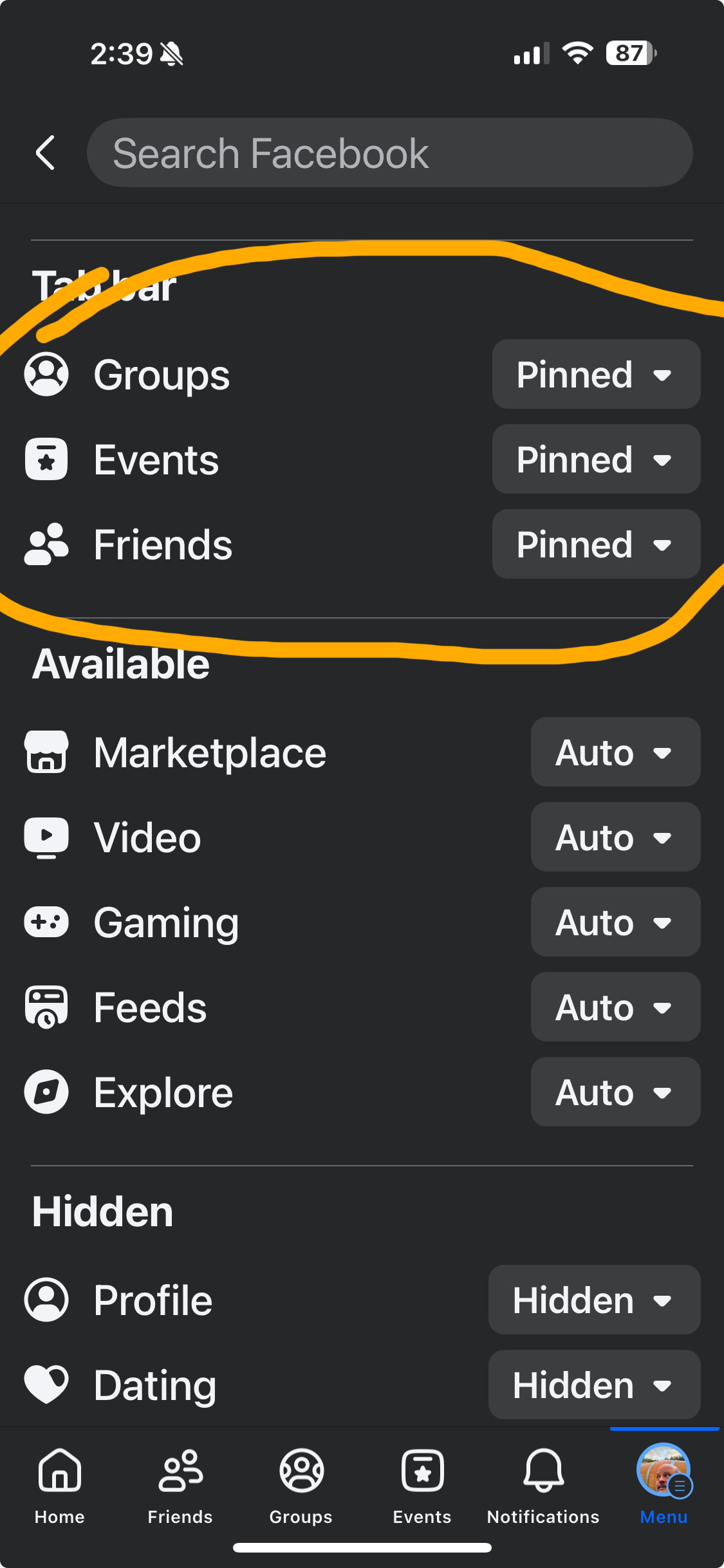
Tap the box next to Friends and change the drop-down to Pinned.
Optional: You might want to pin other commonly-used options, such as Events or Groups.
Pin the Feeds option as well for quick access to your Favorites, Groups, or Pages feeds, if you use those.
Presto! Now when you open the Facebook app, you can just tap the Friends button in the bottom toolbar to get a feed without Reels, suggested posts, and other unwanted junk.
That’s it! I posted screenshots below showing the steps on an iOS device; Android should be nearly identical.
Screenshots of the process on iOS below. Tap the “Menu” button in the bottom right of the Facebook mobile app on iOS/“hamburger” menu button top right on Android, and then just follow this sequence to add the Friends feed to your app home screen. Android screens will look different, but the menu choices are the same.
And here’s the location of the Menu button at the top of the Android Facebook app (poorly drawn arrow) and the added Friends button (circled):
That’s it! Thanks for reading, and I’ll be back soon to talk about fun stuff like improv, computing history, and other distractions from the country that’s burning around us.