
The Short Version! (V2.0)
You can view a feed on Facebook that only includes Friends (and ads), no “suggested posts,” random Reels, etc. Here’s how to access that on the phone app:
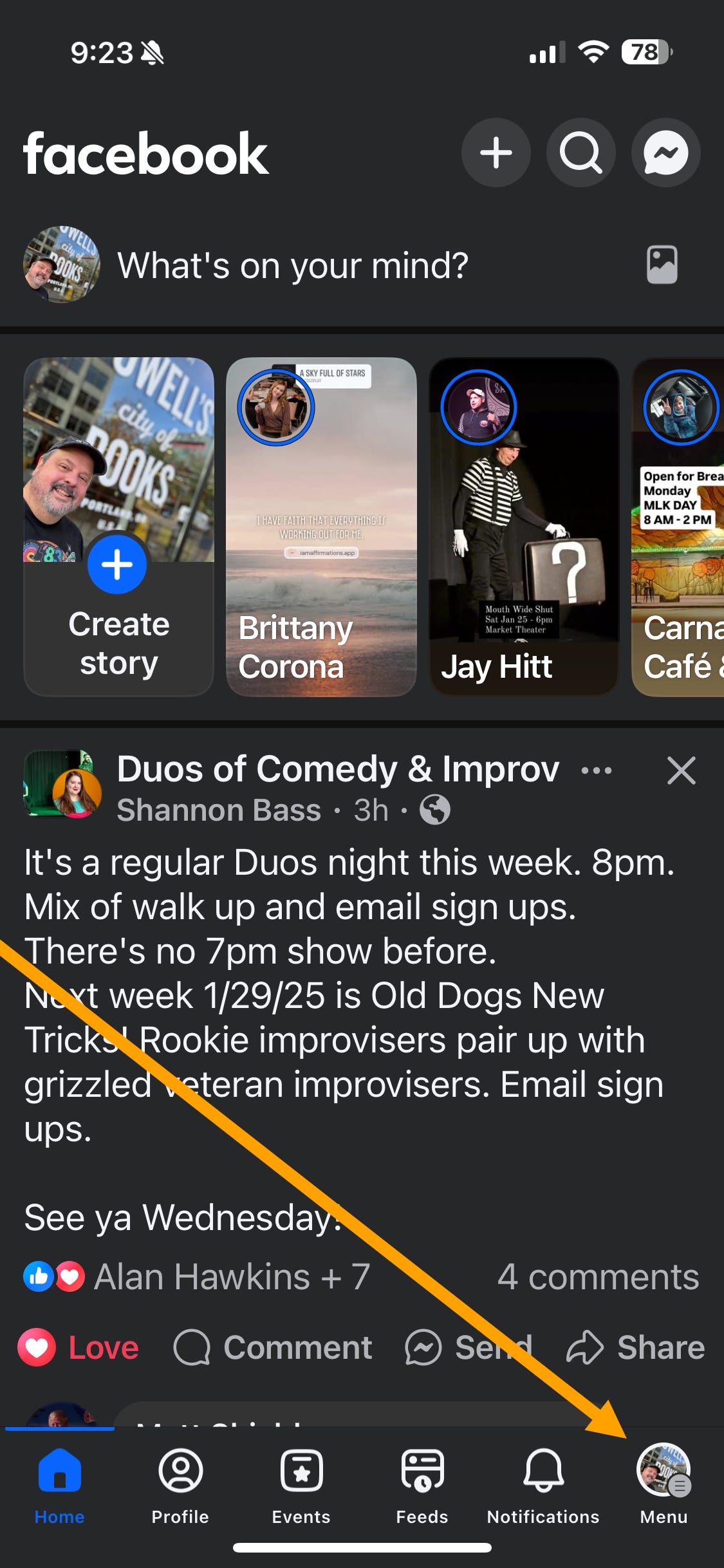
Tap the Menu icon in the bottom right corner of the Facebook app. (Top right corner if you’re viewing Facebook in your phone’s web browser.)
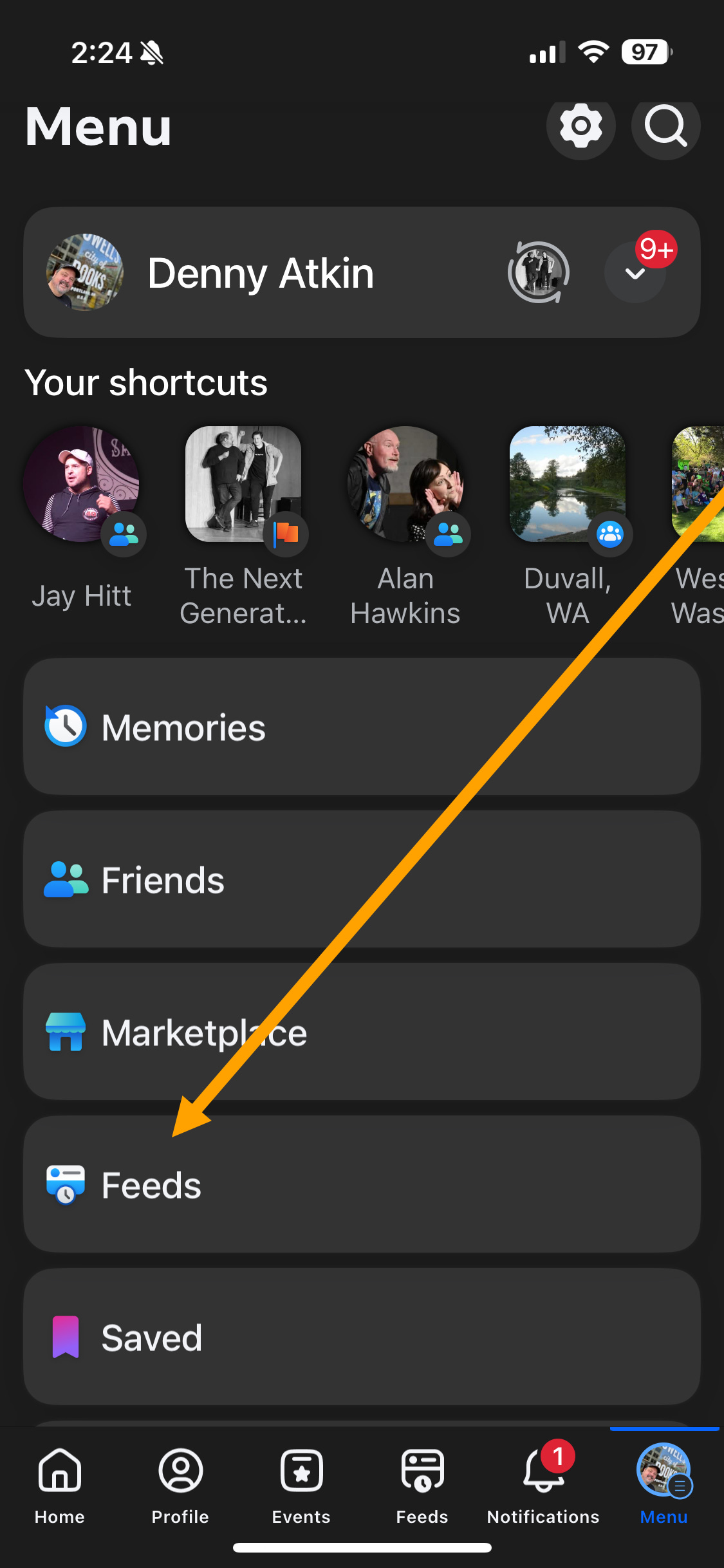
Tap Feeds. (Do not tap “Friends” here, that’s the friend-management page.)
Tap Friends at the top of the screen.
Ta-da! You now have a feed that’s somewhat de-crappified. You can add a Feeds button to the phone app’s main screen so that you can skip step 1 in the future:
To add a Feeds button to the mobile app:
Tap the Menu button on the main Facebook screen.
Tap Settings & privacy.
Tap Settings.
Scroll down to the Preferences section and tap Tab Bar.
Tap Customize the bar.
Tap the button to the right of Feeds and select Pinned.
Check out the original post below if you want a more detailed step-by-step with screenshots, if you want to access the Friends feed on your PC/Mac web browser, or you just want to empathize with my grumbling about the enshittification of social media. New to Substack and I erred too far on the side of detail in the original post and it gave me an opportunity to explain the acronym “TL;DR” to my mom. — Denny
The Long Version (V1.0)
Cory Doctorow coined the term “enshittification” in 2022, referring to the gradual degradation of on an online platform’s functionality. Facebook’s business model is built on “maximizing engagement,” and in an attempt to get you to spend more time on the platform, the company has started dropping all kinds of chaff in your main feed: recommended posts from people you don’t follow, Reels, marketplace listings, and of course cubic buttloads of often-scammy advertisements. Add in an algorithm that makes its own choice of which of your friends’ posts it thinks you might want to see and you have a really poor experience and a friends list curated by a money-making algorithm.
In the short-term, FB is likely seeing engagement with all of the junk they’re throwing in your feed (tech companies are insanely metrics-driven, logic and humanity be damned), and questions like “But what if we run off our users in the long term with these changes?” don’t figure in when you have an industry where people have to show short-term gains in order to get decent job reviews.
The good news is that Facebook has two features that can dramatically deshittify your experience: The Friends and Favorites feeds. I’ll focus on the Friends Feed here, and in a future article I’ll show you have Favorites can ensure that you don’t miss posts from your closest friends and family members.
The Friends Feed
Unlike the default Facebook feed, which is chock full of suggested posts and other things you never asked for nowadays, the Friends feed just has your friends. (And ads, so many ads.) Here’s what you’ll see:
Posts from all of your friends, not just the ones FB’s algorithm thinks you will engage with.
All of those friends’ posts. So if you have a friend who reposts every meme that amuses them, you’re going to get those too. So you might have to unfollow those folks to keep the feed manageable. (Or talk to mom about her social media practices.)
Lots of ads. There are browser extensions that can temper those, and actions you can take to make ads more appropriate or less privacy-invading. I’ll cover that stuff in a future article as well.
It’s not a perfect experience, but if you’re on Facebook to connect with friends, it’s far better than the default.
Finding the Feed (Mobile)
On the default setup for the Facebook phone app, the Friends feed is three taps deep in the interface. To access the feed:
Tap the Menu icon in the bottom right corner of the Facebook app. (Top right corner if you’re viewing Facebook in your phone’s web browser.)
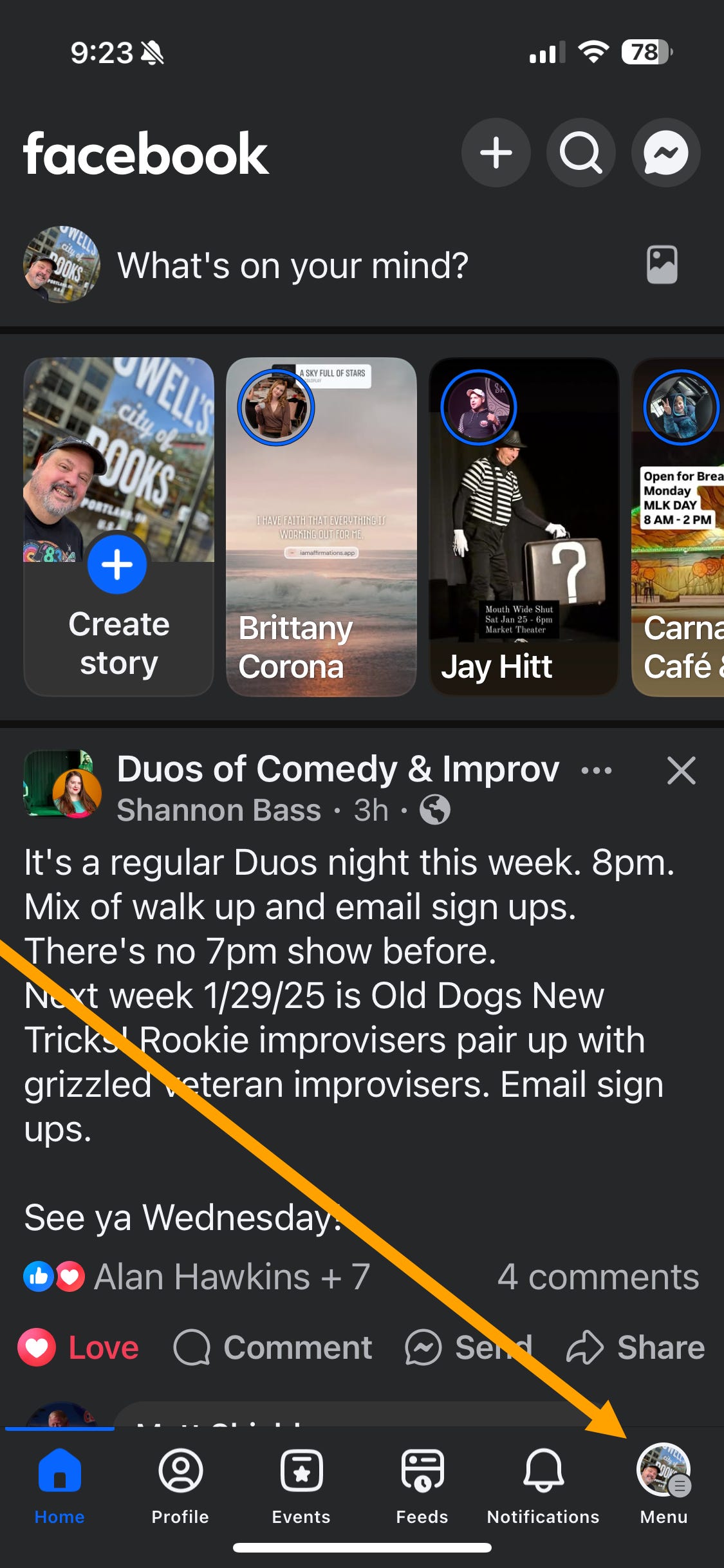
Tap Feeds. (Do not tap “Friends” here, that’s the friend-management page.)
Tap Friends at the top of the screen.
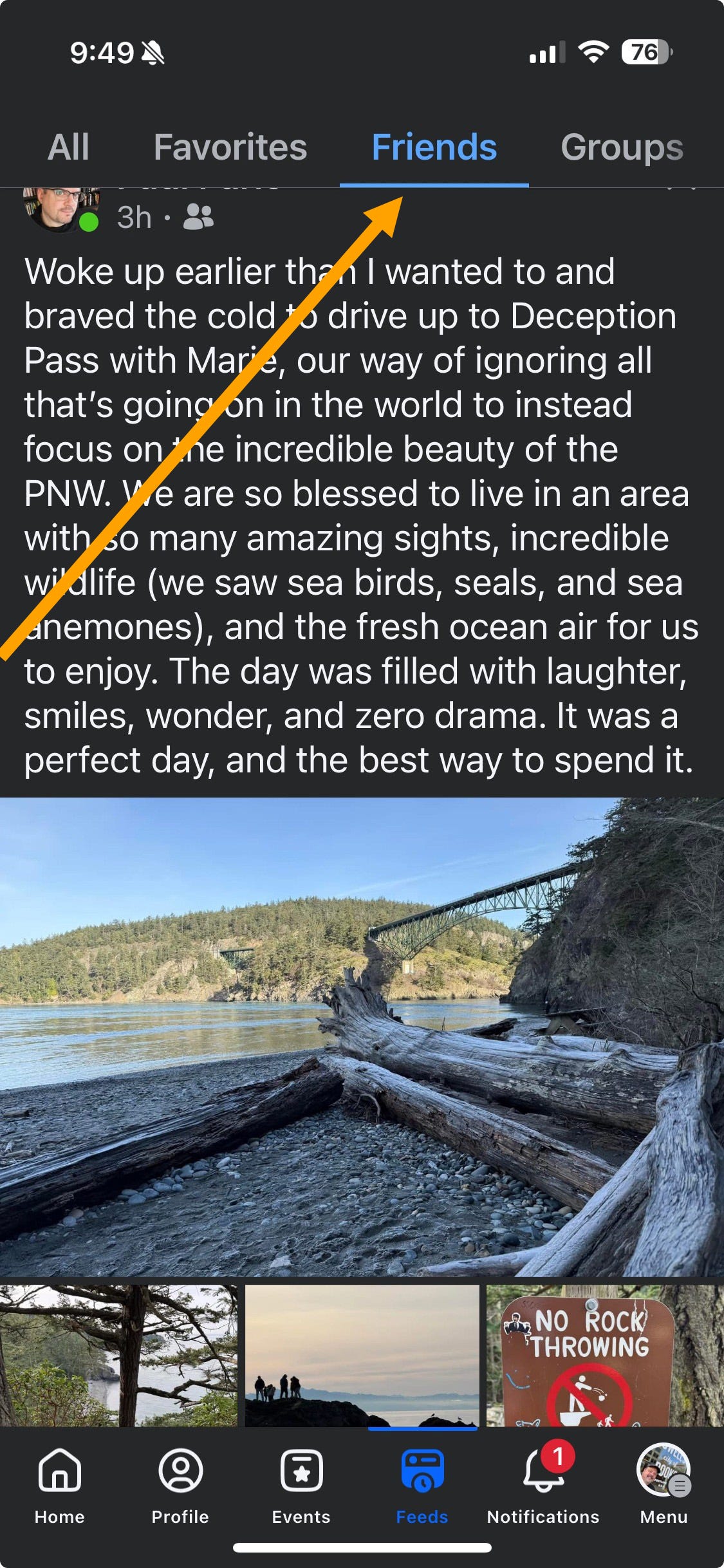
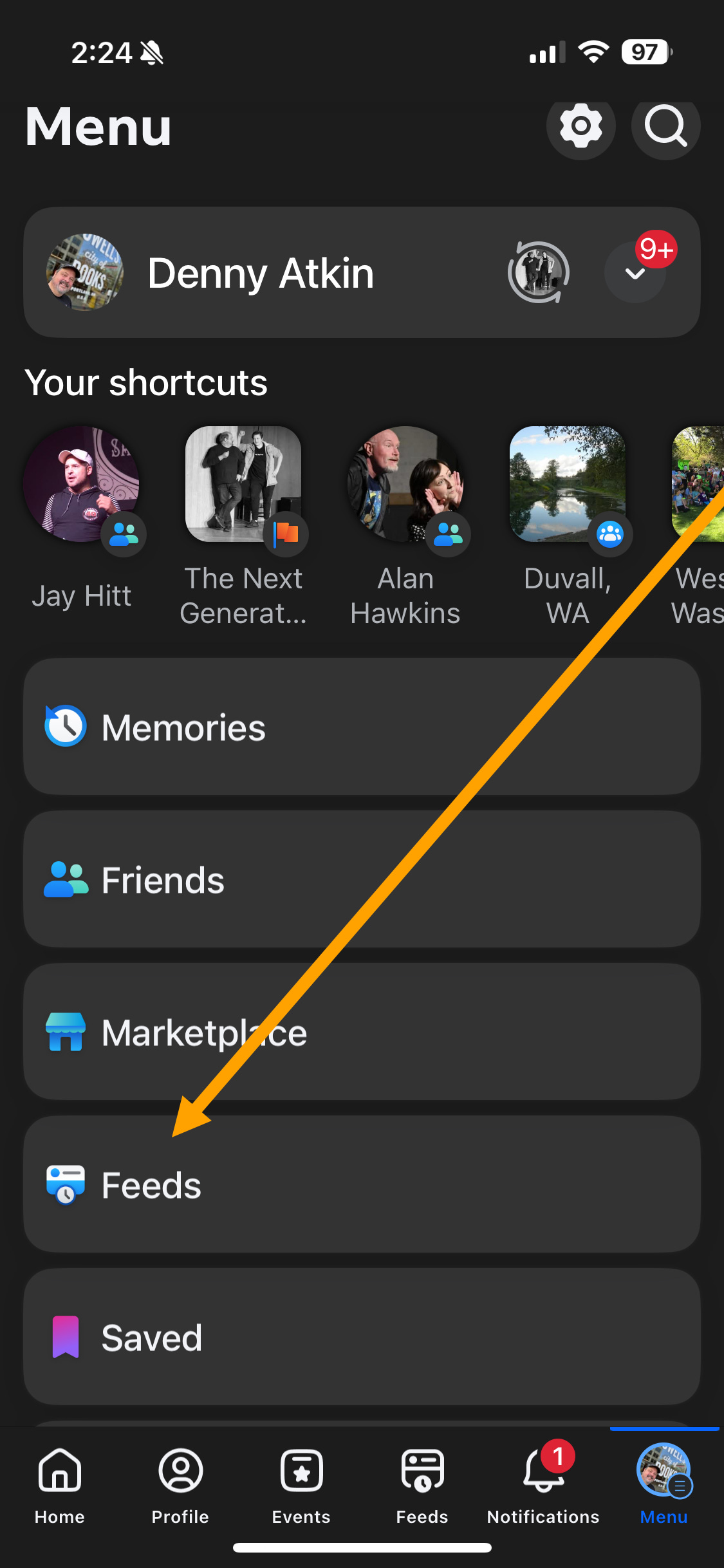
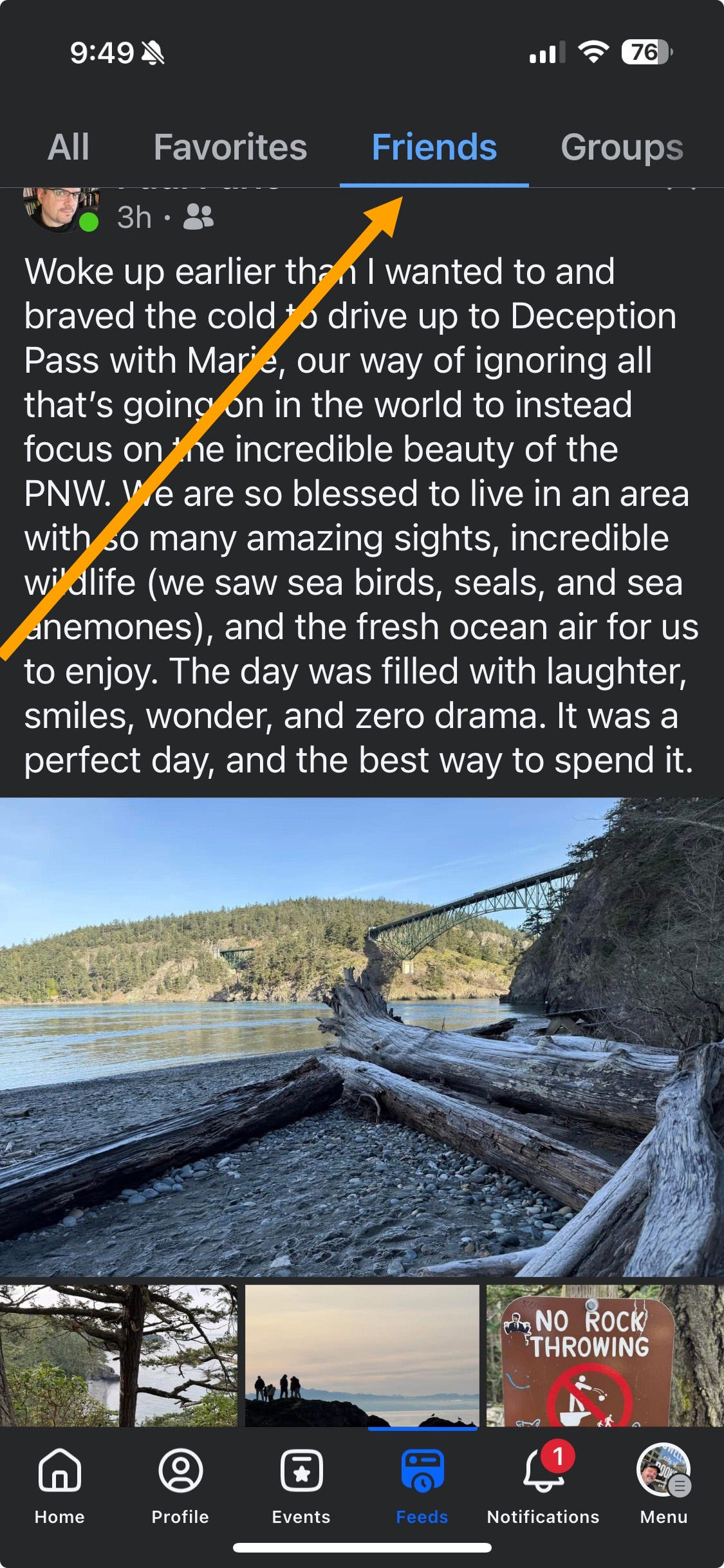
Next to Friends, you’ll see other options. I’ll cover these in more detail in a future post, but a quick overview:
All: Show posts from your Favorites, Friends, and Groups and Pages that you follow. This is a good alternative to the main Facebook feed if you don’t want to miss the posts from your favorite cat-appreciation page.
Favorites: You can mark up to 30 friends or pages as Favorites, so you won’t miss any of their posts in your main feed, and to have them appear here.
Groups and Pages: Groups that you’re a member of, and pages that you follow.
Facebook likely buries these feeds because the company would likely prefer that you use the more monetizable main feed. If you prefer these feeds, though, you can add a link directly to the main screen of your Facebook app, putting your Friends feed a tap closer. To add a Feeds button to the mobile app:
Tap the Menu button on the main Facebook screen.
Tap Settings & privacy.
Tap Settings.
Scroll down to the Preferences section and tap Tab Bar.
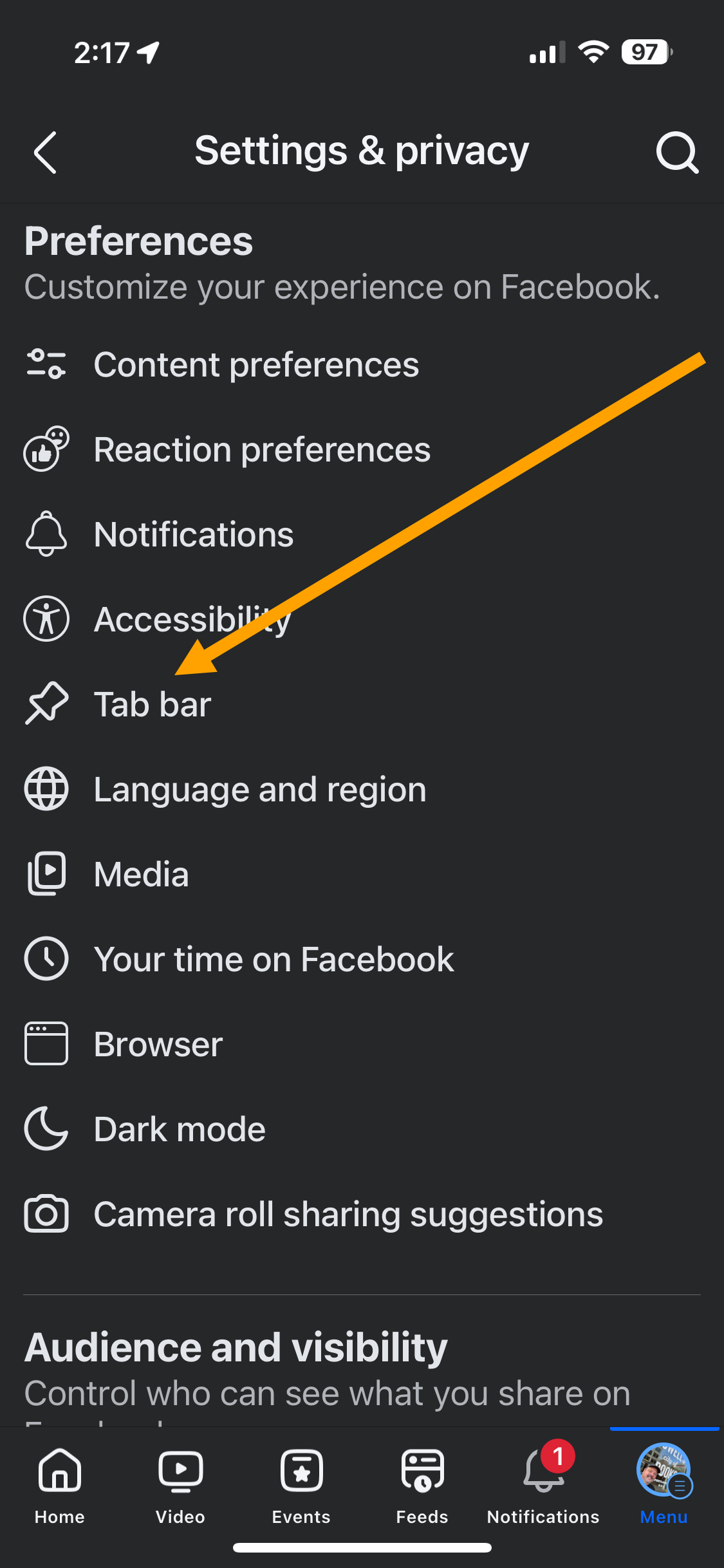
Tap Customize the bar.
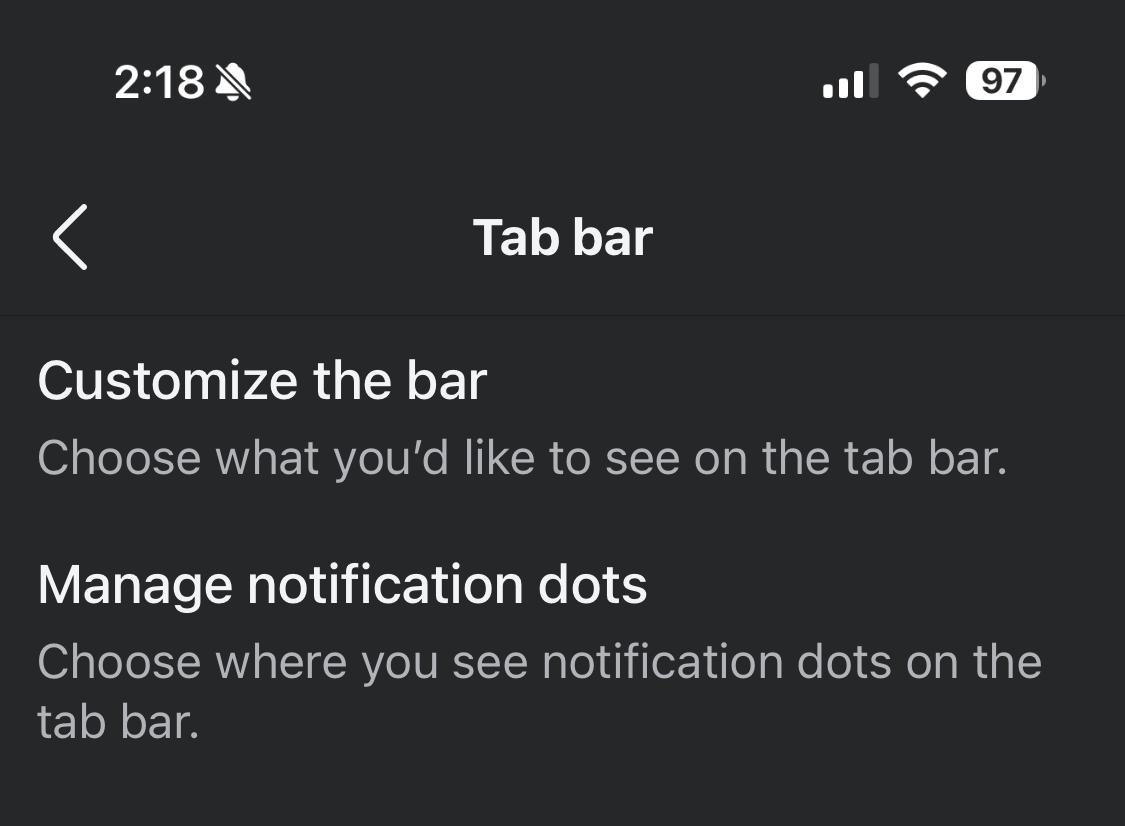
Tap the button to the right of Feeds and select Pinned. (You might want to pin other frequently used functions while you’re at it, as you can pin up to three icons. I also pinned Events and Profile.)
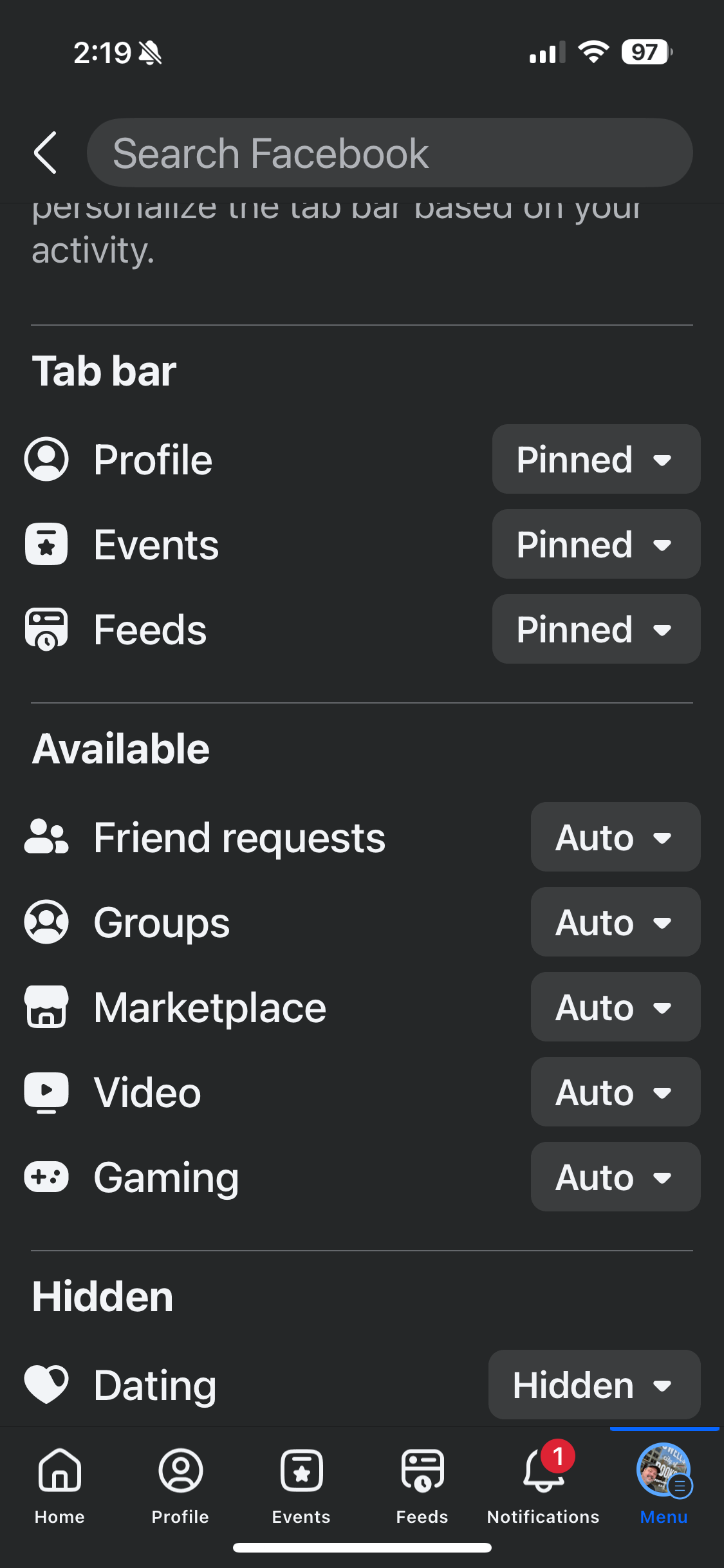
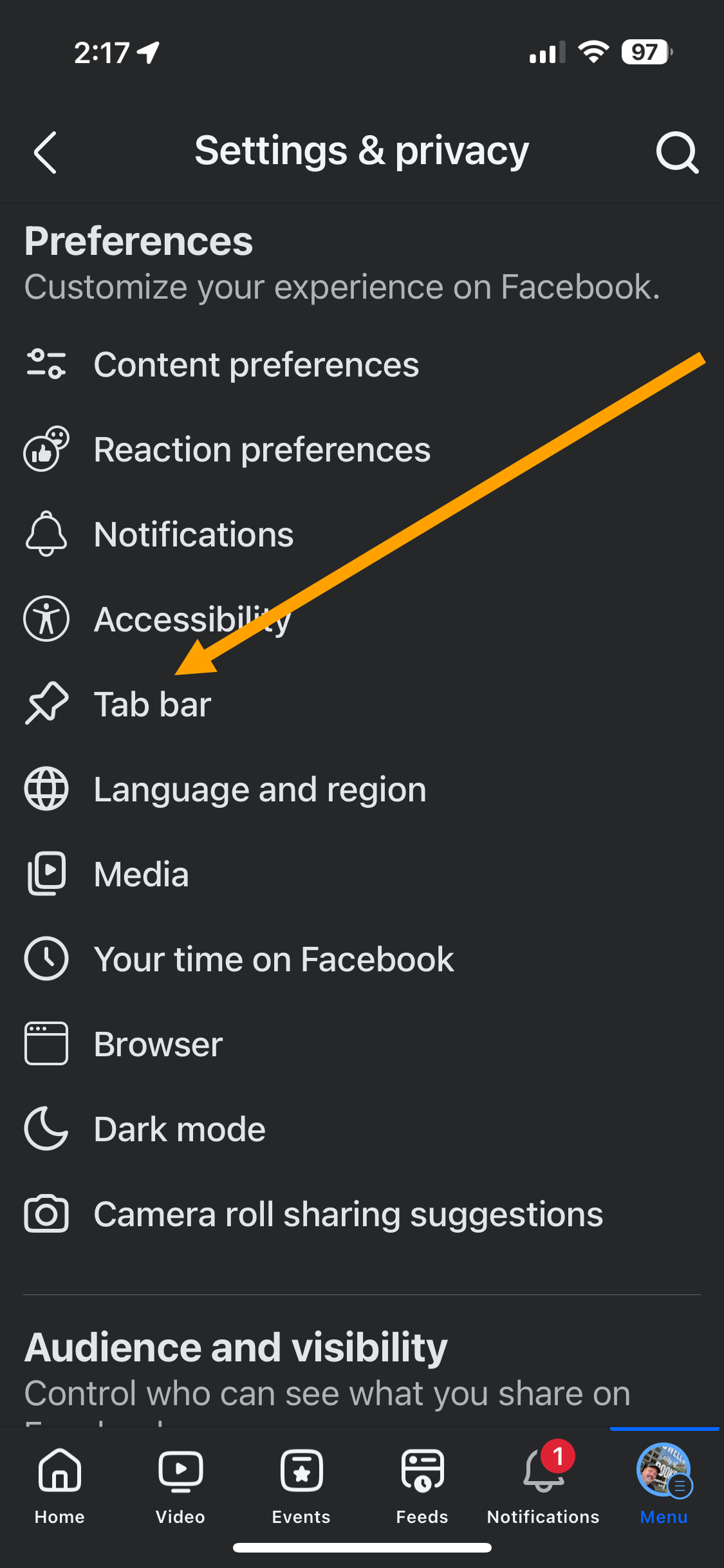
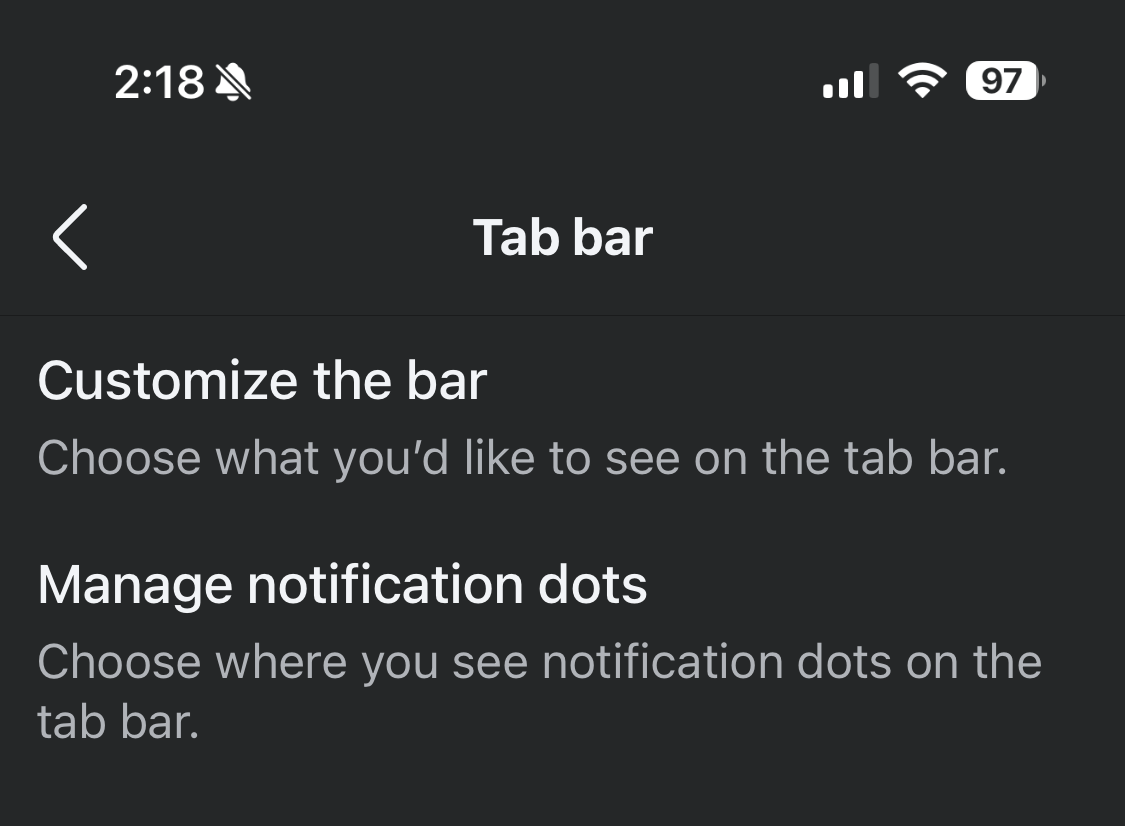
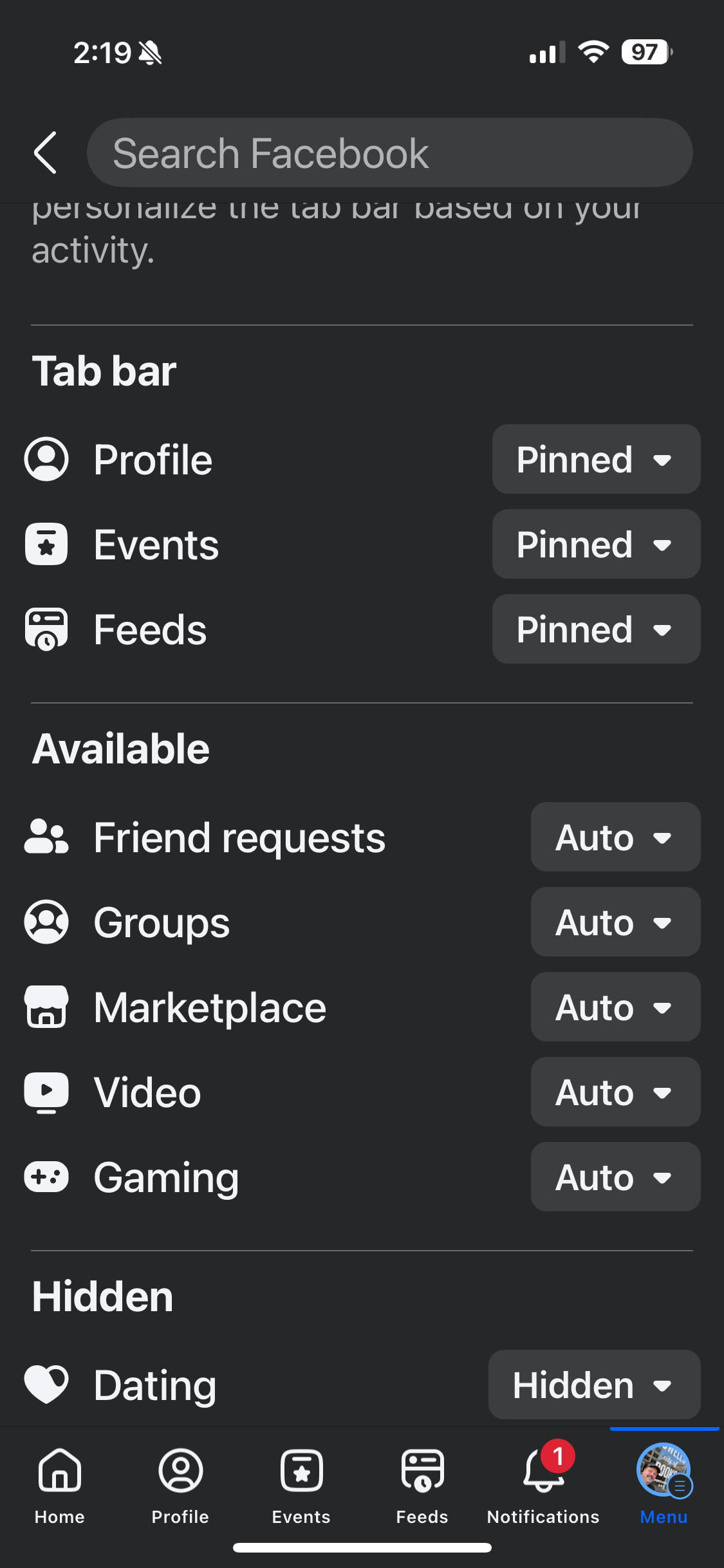
Now Feeds are one tap away when you open Facebook!

(Note that these instructions were created using the iOS version of Facebook, so Android users might see slightly different options.)
Finding the Feed (Desktop Browser)
If you primarily read Facebook on a desktop web browser as I do, we have you covered. (Also, don’t forget to schedule your colonoscopy.) If you only use Facebook on your phone, you can skip this section.
To access your Friends feed:
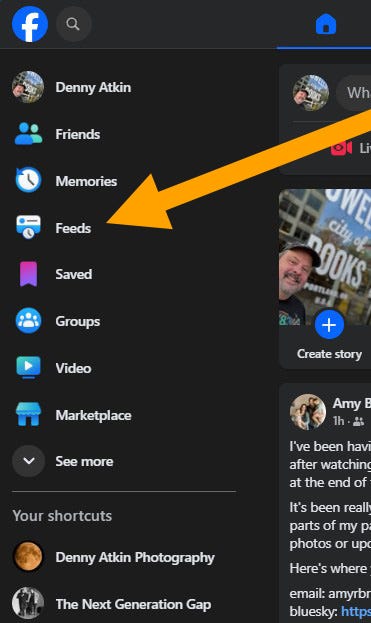
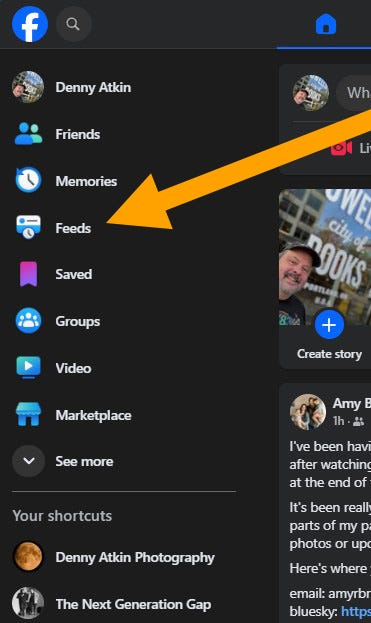
In the menu on the left side of the browser windows, tap Feeds. (Don’t tap Friends, that’s the friends-management page.)
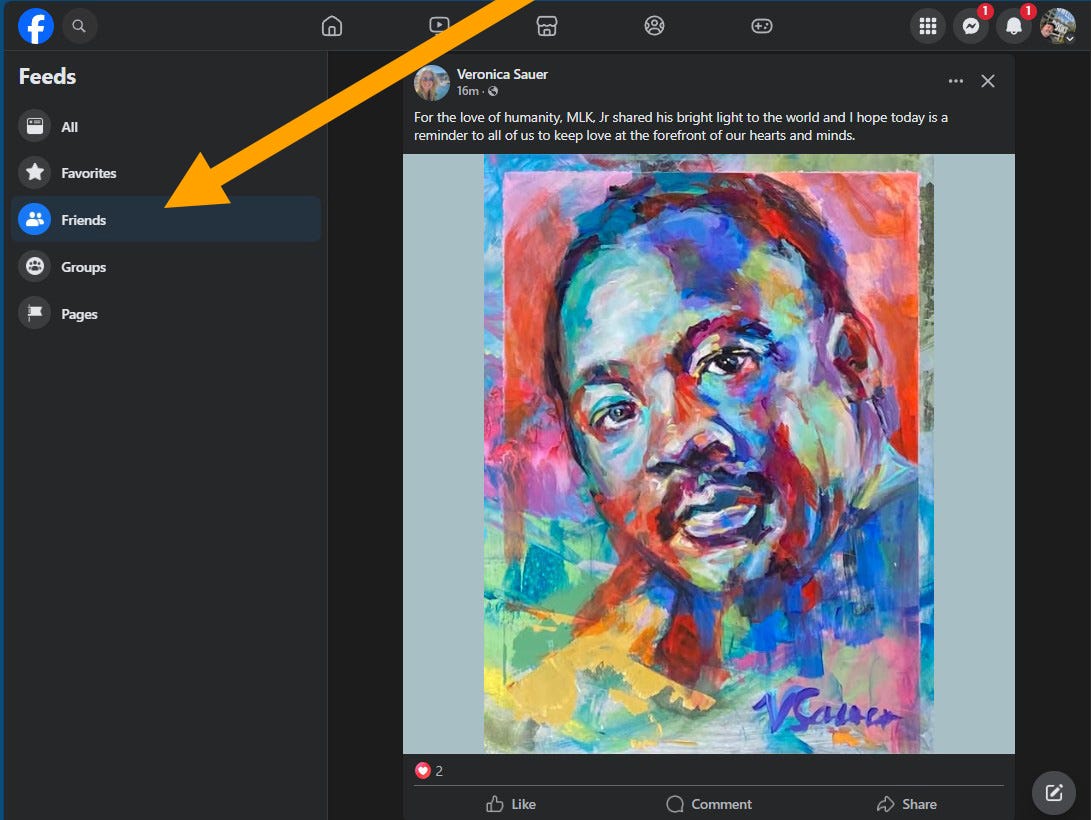
On the Feeds menu on the left side of the browser window, click Friends.
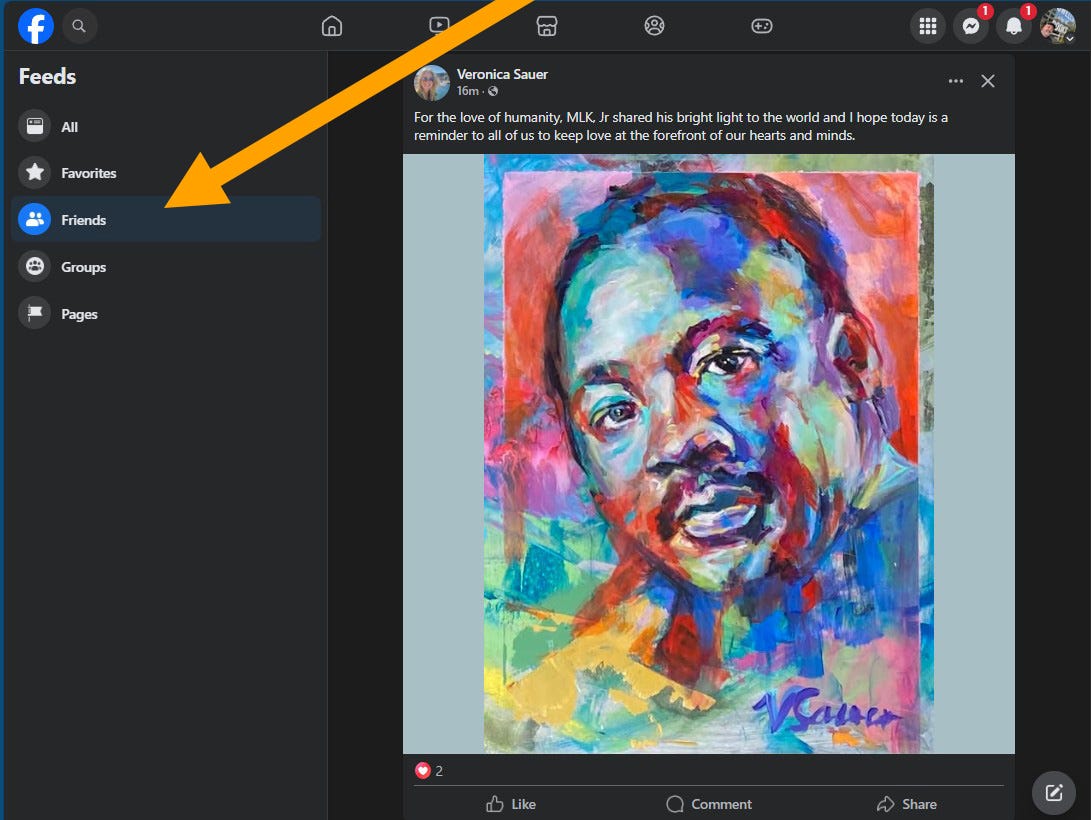
If you skipped the “Mobile” section, look above to see what the other feeds, such as All and Favorites, are for.
If you’re an advanced user (that is, you actually use bookmarks instead of using Google to navigate the web, not to call my girlfriend out or anything), you can also bookmark the Friends feed and open directly to that.
Bookmark the following URL in your favorite browser:
https://www.facebook.com/?filter=friends&sk=h_chr
I had mixed success using the bookmark with mobile and tablet browsers. Adding the Friends feed page to Home Screen on my iPad still opens the main Facebook feed. I was able to add a functional Friends feed link to my Mobile Bookmarks on the iPad version of Chrome, however.
Desktop browser users can also use apps like F.B. Purity to completely remove ads, suggested posts, etc. from your feed, but that’s another article. My focus here is to just quickly show you how to use Facebook’s own tools to reduce the growing enshittification of the social network.
Coming Up: More Ways to Make Facebook Tolerable
I put this article together quickly because I had many friends who were concerned about Facebook’s recent disappointing changes in policy about fact checking and moderating hate speech. In addition to limiting your feed to friends you’ve chosen to follow, there are other ways to make your reading experience better, such as utilizing Favorites, unfollowing people you want to remain friends with but who post too much (or who post things that might make it hard to remain friends with them), and so on. If there are specific things you’d like to see, let me know in the comments!
It really needs to be less horrible! I also need to move officially…will do that as soon as I figure out Substack, and I hope that happens before pushing up daisy’s becomes an issue!!!!