
Just the Basics (TL;DR)
You can set up to 30 people and pages to be “Favorites” on Facebook, which will (1) give them higher priority in your main feed, showing their posts higher in your feed and more frequently, and (2) add them to another feed that will only show your Favorites. I covered how to find Favorites and other feeds in my previous article.
To add a person or page to your Favorites list on your phone’s Facebook app:
Go to their profile page (either by searching for them or clicking their name in your feed).
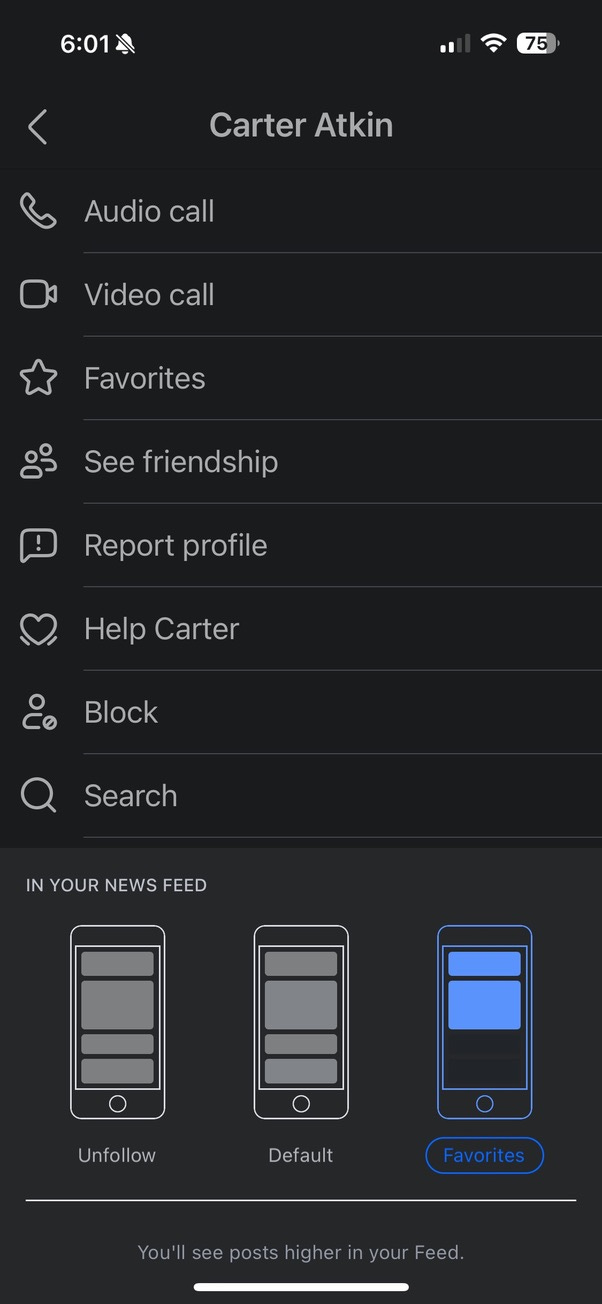
On their profile page, tap the … menu, then tap Following.
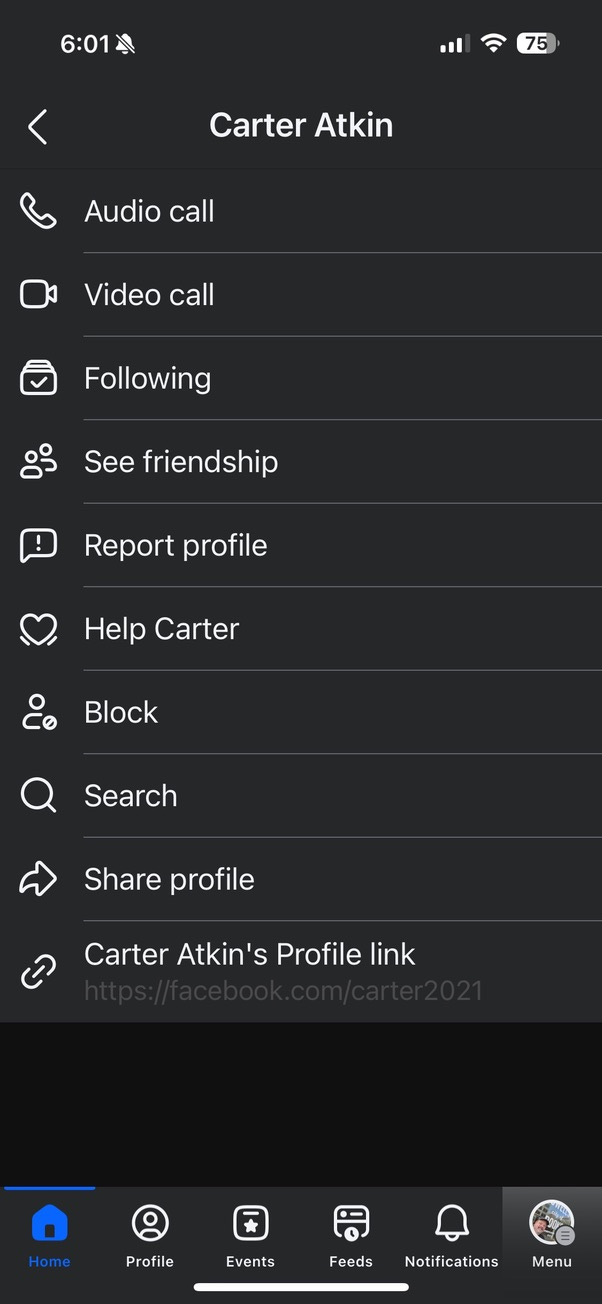
In the dialog that pops up at the bottom, change the option from “Default” to “Favorites.”
To add a person/page to your Favorites using Facebook in a web browser:
Go to their profile page (either by searching for them or clicking their name in your feed).
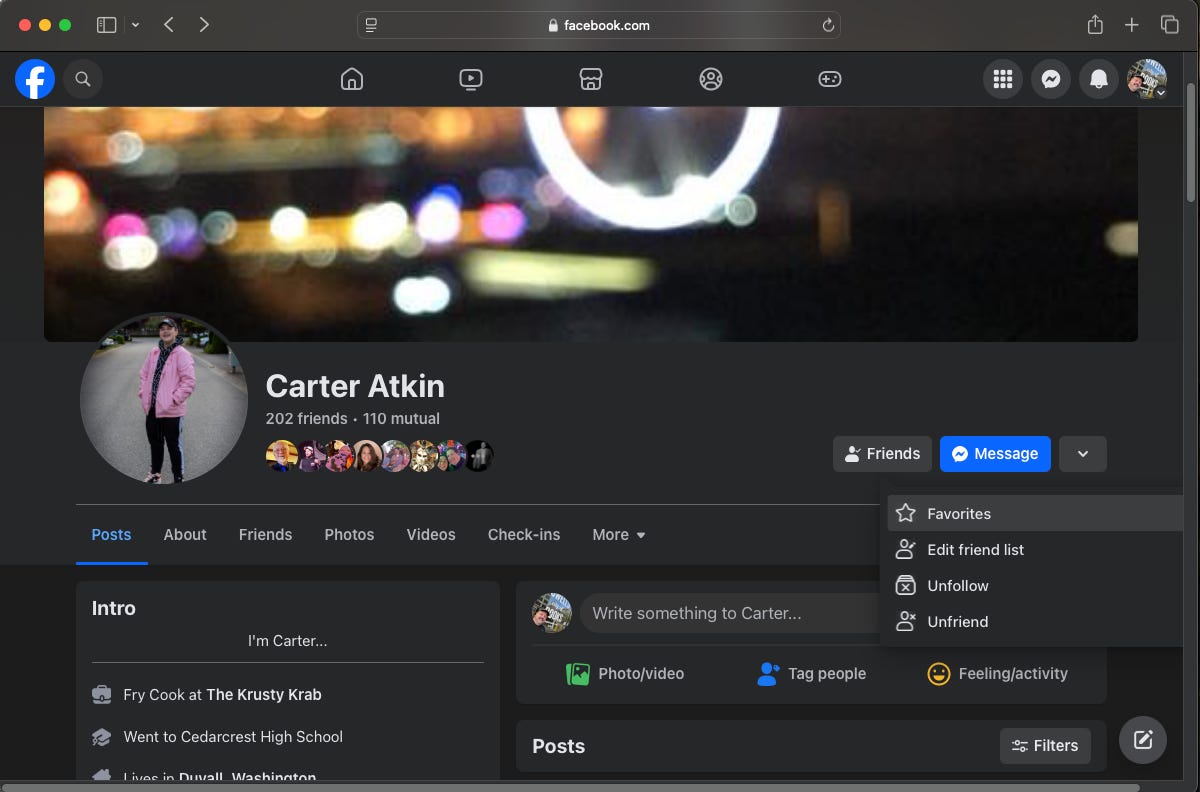
On their Profile page, click the Friends button, and then click Favorites.
Unfollowing: When their posts are NOT your favorite thing
If there are people on Facebook who you want to remain connected to, but you don’t want to read their posts unless you specifically go to their profile page, you can Unfollow them. They will remain connected to you as friends, and can reply to your posts, but you will not see their posts in your feed. They won’t be notified you’ve unfollowed them.
To unfollow, just repeat the steps outlined above, but instead of selecting “Favorites,” choose “Unfollow” from the menu. Now you’ll only see their posts if you go to their profile page directly.
The Detailed Version
Let me preface this by saying that this Substack is not all going to be about using Facebook. Stick around and I’ll have some fun journalism stories and plenty of other non-Zucked-up content.
But the events of the past few weeks, along with an increasingly junk-filled main feed, have led to a lot of folks getting fed up with the network. I’ve managed to tame Facebook to the level where I can see posts from people I care about and keep in touch with friends and family, and I want to share these tips so that you don’t get frustrated and become less connected with people you care about due to FB’s relentless drive to maximize engagement at the expense of a quality experience.
If you missed my previous post, check it out to see how you can access a feed that shows all of your friends (and ads), without additional junk thrown in. The great thing about the Friends Feed is that it shows you all your friends’ posts, so you can keep up with the friends that FB doesn’t usually deem interesting enough to you to include in your regular feed. The bad thing about the Friends Feed is that it, well, shows you all of your friends’ posts. So if you have a friend who reposts every funny meme they come across, for example, but nothing personal, those posts are going to add a lot of junk to your feed. That was what Facebook’s main feed algorithm was supposed to tame, before the company started throwing in Reels, “suggested” posts, and other junk.
The good news is that there a couple of tools you can use to make the Friends Feed post deluge more manageable. Favorites let you pick up to 30 friends and pages and see more of them in your main feed, and directly access a feed showing just their posts. And the Unfollow setting lets you mute people who are too prolific in their posting, or who post disturbing, annoying, or untrue content, without taking the nuclear option of unfriending them completely. After a little bit of tweaking, you can see every post from your favorite cousin, while putting your flat-earther high school prom date on mute.
Favorites: The Posts You Don’t Want to Miss
Use the Favorites feature to keep must-see posts front and center, especially from friends Facebook’s algorithm buries. You can mark up to 30 friends or pages as Favorites, and Facebook will boost their posts in your main feed. Even better, a separate Favorites feed shows only their updates. (Well, and, of course, ads.) I covered how to find Favorites and other feeds in my previous article.
To add a person or page to your Favorites list on your phone’s Facebook app:
Go to their profile page (either by searching for them or clicking their name in your feed).
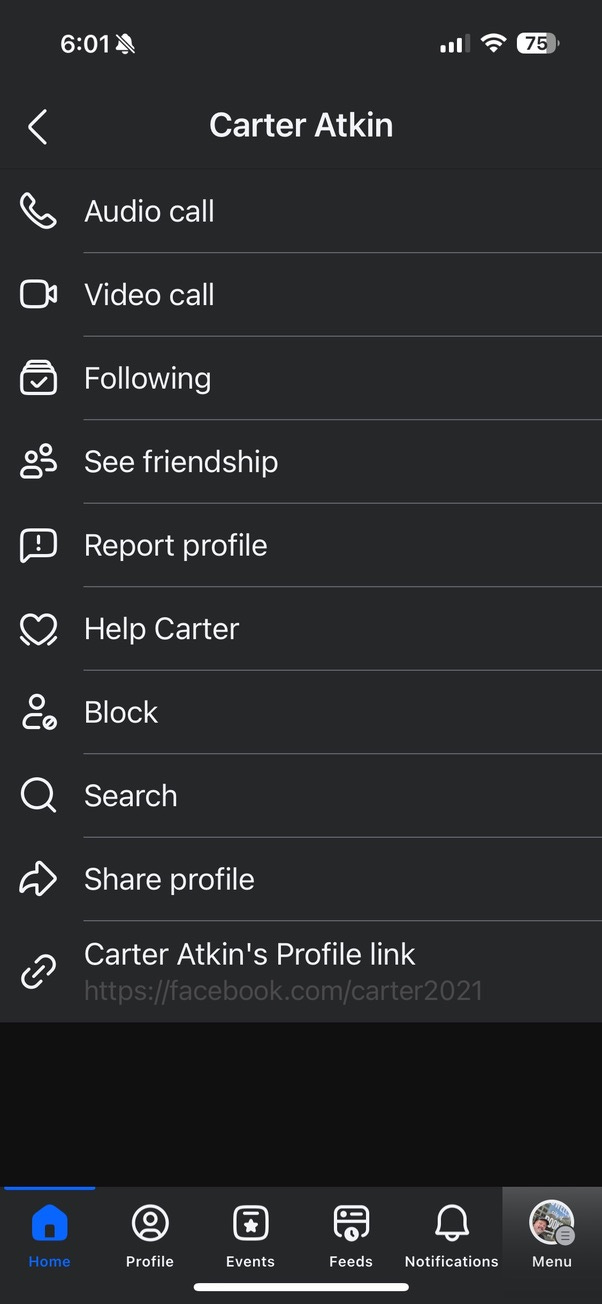
On their profile page, tap the … menu, then tap Following.
In the dialog that pops up at the bottom, change the option from “Default” to “Favorites.”
Because Facebook just loves to experiment with interface changes, the steps to get to the Unfollow/Default/Favorite selection might be different on some pages. For example, on this page, you’d tap “Following,” and then tap the “Feed” button to change it to a Favorite.

To add a person/page to your Favorites using Facebook in a web browser:
Go to their profile page (either by searching for them or clicking their name in your feed).
On their Profile page, click the Friends button, and then click Favorites.
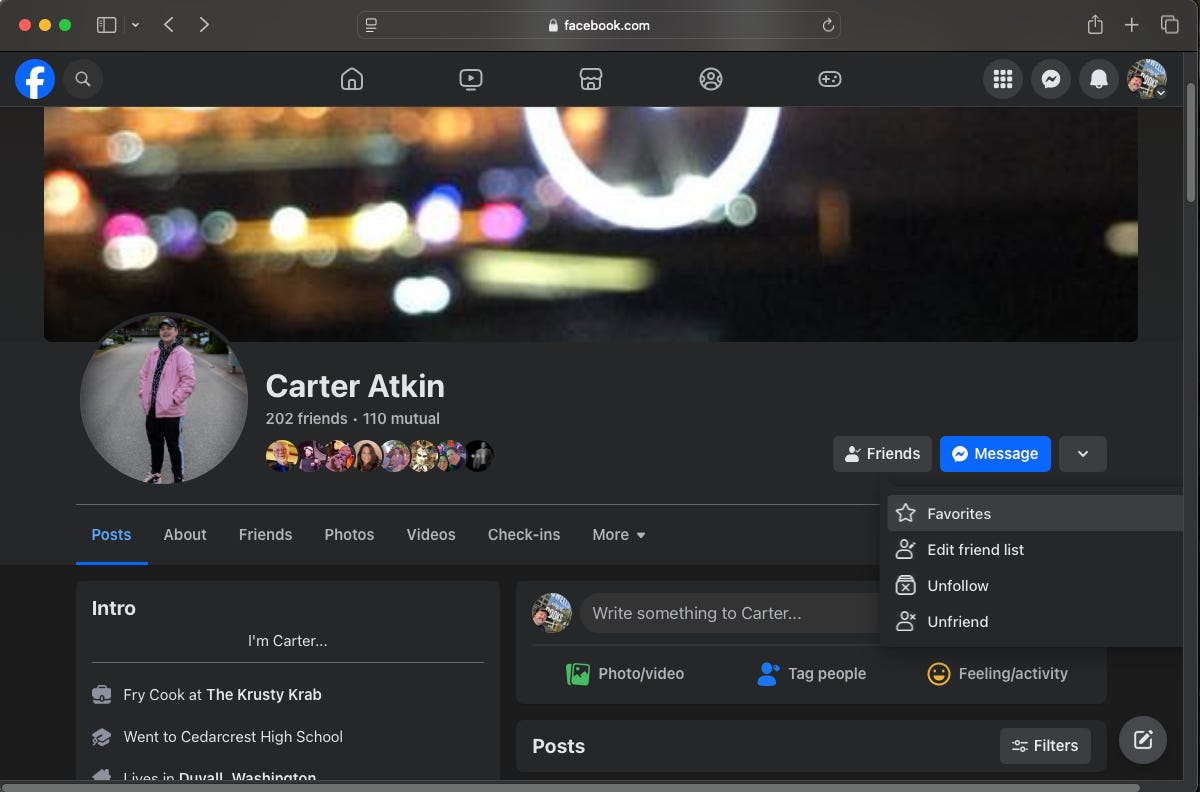
Unfollowing: When their posts are NOT your favorite thing
If there are people on Facebook who you want to remain connected to, but you don’t want to read their posts unless you specifically go to their profile page, you can Unfollow them. They will remain connected to you as friends, and can reply to your posts, but you will not see their posts in your feed. They won’t be notified you’ve unfollowed them.
To unfollow, just repeat the steps outlined above, but instead of selecting “Favorites,” choose “Unfollow” from the menu. Now you’ll only see their posts if you go to their profile page directly.
It Shouldn’t Be This Much Work
Wrapping by setting up the soapbox… It’s ridiculous that you have to juggle alternative interfaces, manually curate follows, and install browser add-ons just to make social media tolerable. Back in the day, I was thrilled to have an easy way to keep up with old classmates, far-flung friends, and ex-coworkers.
Now, younger users have flocked to services where they can manage connections on their terms—in other words, they don’t use even use Facebook. Meanwhile, longtime Facebook users are jumping ship for BlueSky and other networks. The harder it gets to stay connected, the less likely we are to bother.
I’m still on Facebook because my people are, but there’s a massive opportunity for a new social network that prioritizes actual communication over ad impressions. The more Facebook users pushes away, the less reason the rest of us have to stick around.
In the meantime, I’ll do one more article on how to minimize Facebook’s intrusive tracking of your activity. Then it’s on to things that are more fun!